 Barely
Containers need Linux, so on a Mac they run inside a Linux guest VM. Docker Desktop's guest VM holds a fixed share of your Mac's memory and disk whether your containers need it or not.
Barely is a Linux VM for docker that only takes what your containers use, and gives it back to macOS afterwards.
- Memory: the VM grows when a build or container needs more, up to a cap (half your Mac's RAM by default). It shrinks again when the work finishes. On a 16 GB Mac, a build took the VM to 7.0 GB, and within 30 seconds of the build ending it was back to 2.4 GB, what the running stack needed. Set the limit in the app under Settings › Resources.
- Disk: images, volumes and build cache live in one disk file. The file only takes the space that is actually written, and shrinks again after you delete things.
- Sleep: a project nobody has used for 15 minutes goes to sleep, and its memory goes back to macOS. Using it wakes it in milliseconds, see Sleep and hibernate.
- Hibernate: once every project is asleep, Barely saves the VM to disk and it uses no memory. The next
dockercommand resumes it in about a quarter of a second. - Idle: after five minutes with nothing running, the VM shuts down. Your next
dockercommand starts it again.
Barely runs the real Docker engine. docker, docker compose and other Docker apps work the same as before.
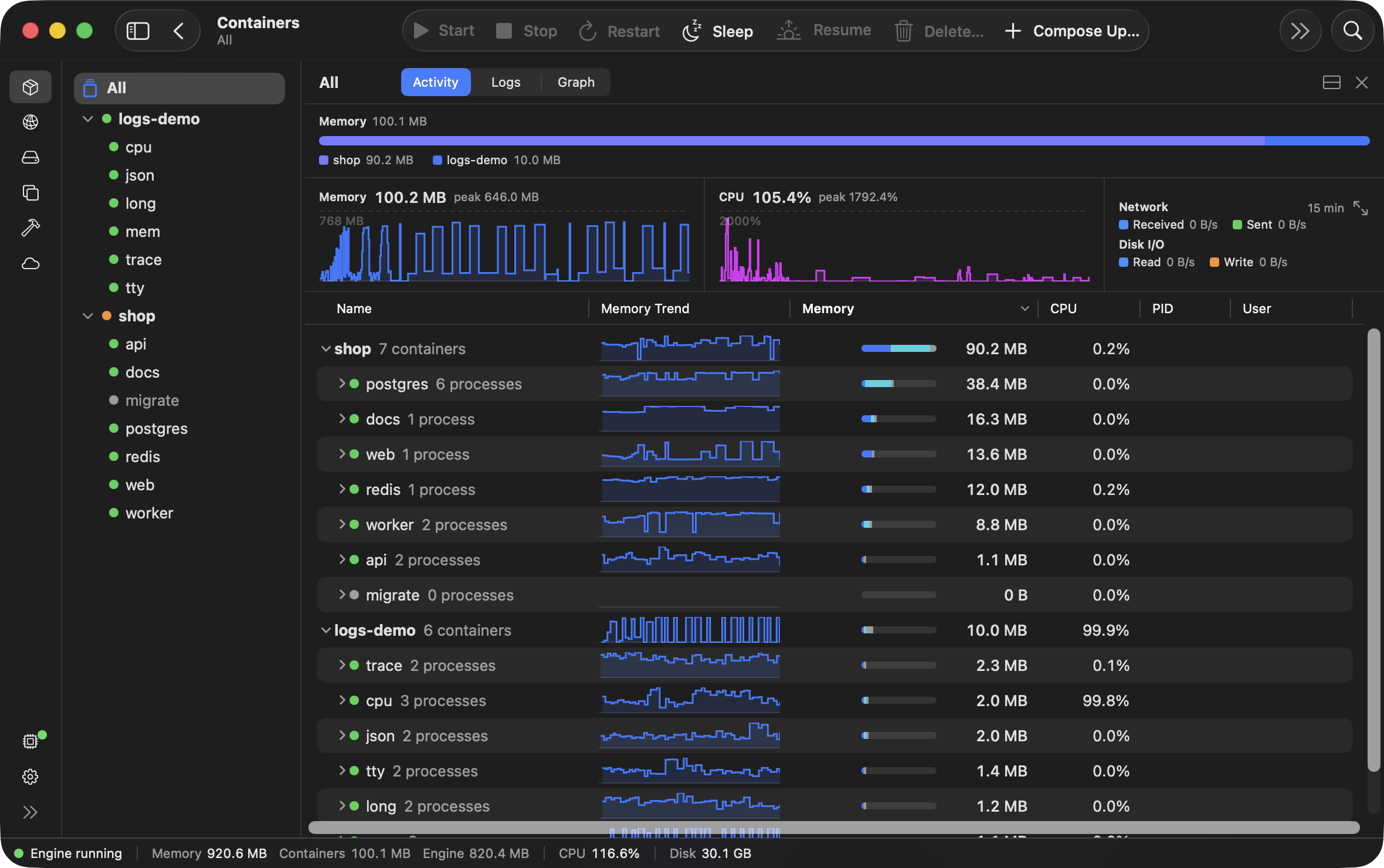
Barely is three things that install together: the Barely VM, the Barely CLI (the barely command) and the Barely app, which shows what's running inside the VM.
The 30-day trial needs no account, email or credit card. A licence is $99 once, see Licence. Barely is closed source; the GPL source and licences are published for every release.
Questions
Do my compose files or docker commands change?
No. Inside the VM is the standard Docker engine. Your compose files, docker commands and scripts run as they are, and published ports are on localhost.
Which Macs does it run on?
Apple Silicon Macs with macOS 14 or later. On an Intel Mac, Barely doesn't run.
Is there a free trial?
Yes, the 30-day trial. It is all of Barely, and the trial needs no account, email or credit card. barely setup starts it.
Something missing or wrong? Tell us.