 Barely
Memory
Get your Mac's RAM back from idle Docker containers
Barely puts idle containers to sleep and gives their RAM back to macOS. The next request wakes them in milliseconds, with every process where it was.
On a 16 GB Mac, a build took the VM to 7.0 GB. Within 30 seconds of the build ending, the VM was back to 2.4 GB, what the running stack needed.
The trial needs no account, email or credit card.
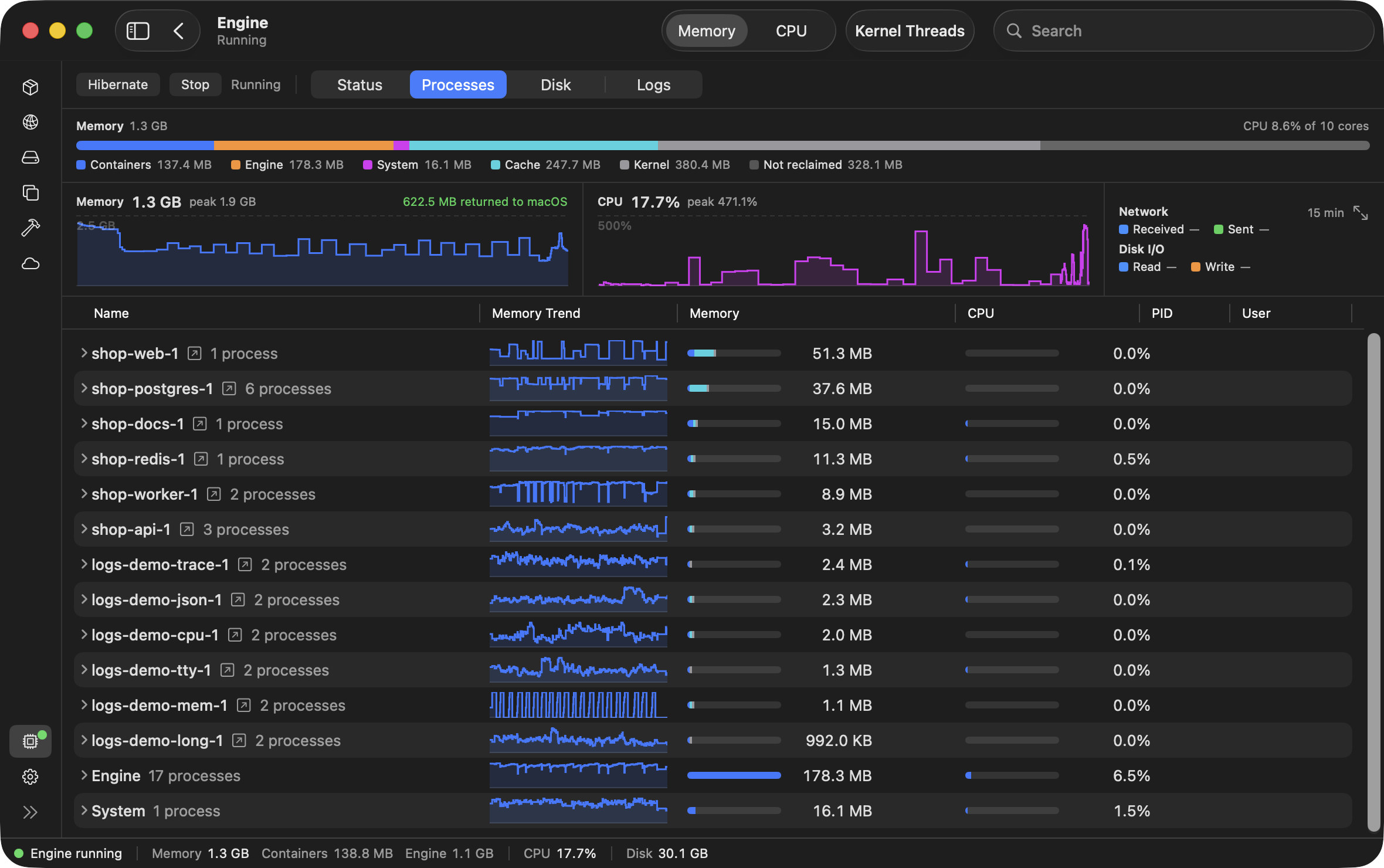
Docker on a Mac runs in a VM that holds on to RAM
Docker on a Mac runs inside a Linux VM. Every running container uses RAM in the VM, including the ones you aren't working on.
A docker build grows the VM's RAM, and the VM keeps that RAM after the build ends. A stopped container's RAM stays with the VM instead of going back to macOS. The only way to give the VM's RAM back to macOS is to quit docker and start every container again.
When the VM holds more RAM than your Mac can spare, macOS swaps to disk and your Mac slows down.
Idle containers go to sleep
When containers serve no traffic, write no logs and use no CPU, Barely pauses them and gives their RAM back to macOS. The next request wakes them in milliseconds, with every process where it was.
- Wakes on a request to its port, a docker command or a file saved in its folder.
- Processes resume where they were. Nothing restarts.
- Open connections stay open while it sleeps.
- Containers with scheduled work, like cron or a systemd timer, stay awake.
- A Keep awake switch on every container, or on a whole docker compose stack, for containers you don't want to sleep.
- RAM a running container frees goes back to macOS.
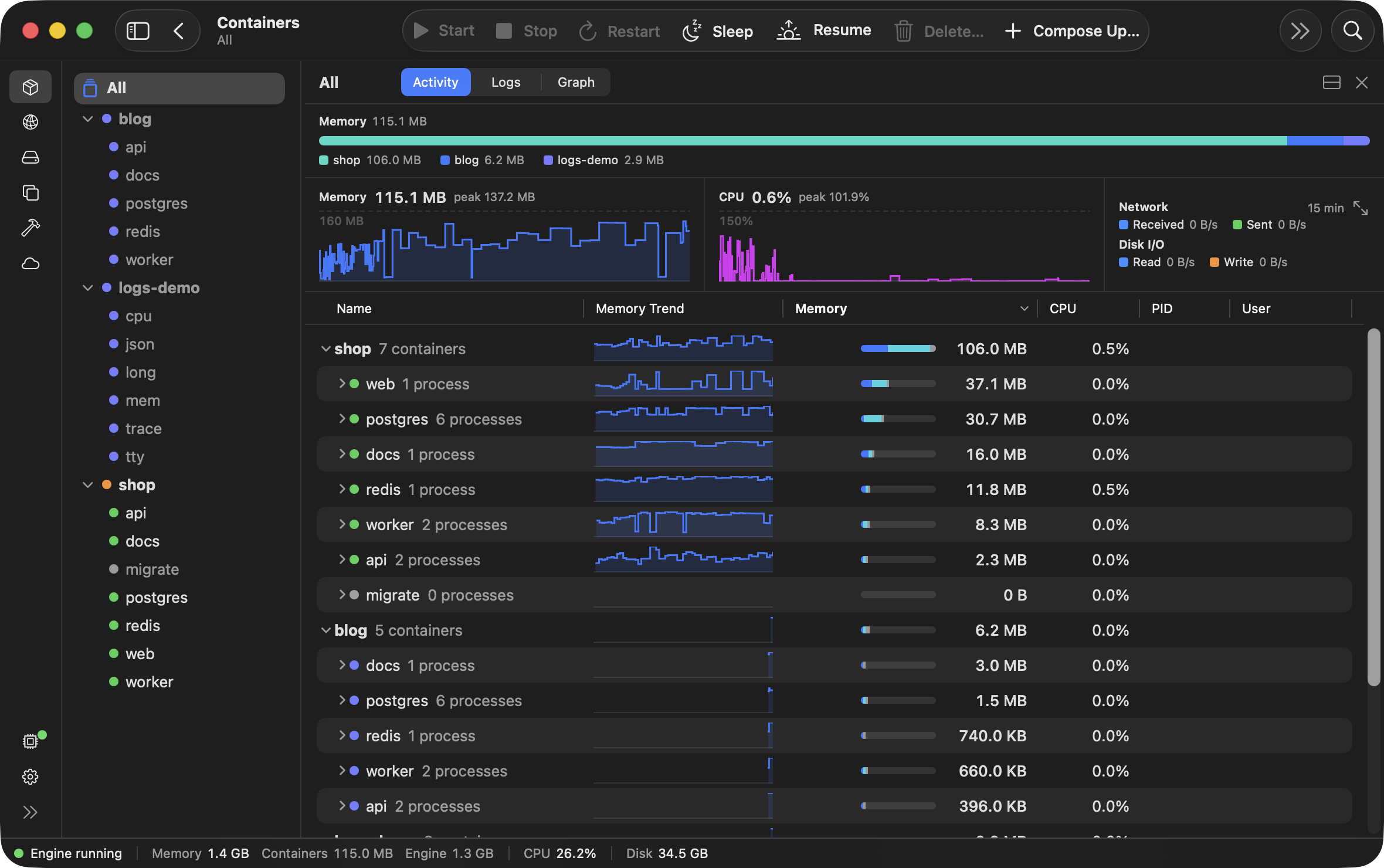
What counts as use
A container sleeps when nothing has used it for a while. A docker compose stack sleeps and wakes whole, never in part. Each of these counts as use, and all are on by default:
- Network traffic in or out: from your Mac, another container or the internet. Traffic between a stack's own containers doesn't count.
- Anything a container writes to its output (logs).
- A file changed on your Mac in one of its bind mounts.
- More than 5% of one core, averaged over a minute.
- A cron daemon running in it (
crond,cron,supercronic,anacronorfcron), or a timer set to fire, such as a systemd timer.
A sleeping container wakes on a new connection to it, such as a request to a published port; on a docker command that acts on it, such as exec, attach, stop or restart; and on a file changed in its bind mounts. Commands that only read, such as docker ps, docker logs, docker inspect and docker stats, don't wake it. docker ps shows a sleeping container as Paused.
Keep any container awake with one switch
Switch on Keep awake on any container or docker compose stack in the app, and Barely never puts it to sleep.
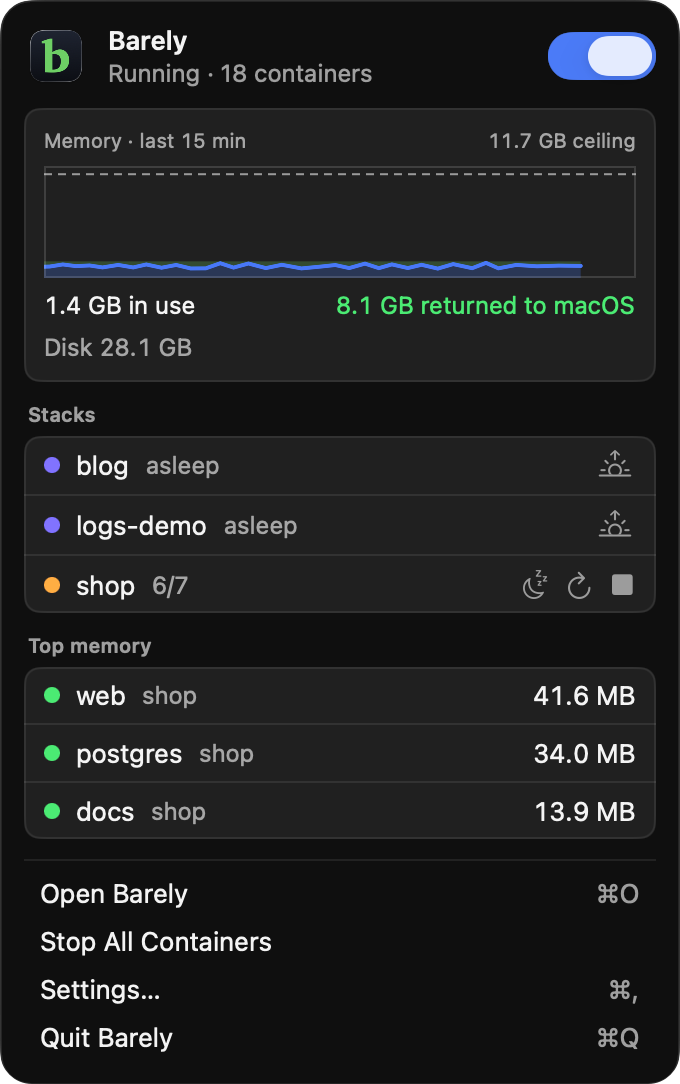
From the menu bar, put any docker compose stack to sleep or wake it, without opening the app.
A schedule inside an app's own process, such as node-cron or a Go ticker, isn't seen as use, so a container that relies on one needs Keep awake.
In a compose file, this label on any of a stack's containers does the same:
labels:
  barely.sleep: "false"
Once every container is asleep, the VM hibernates
The VM is saved to disk and holds no RAM until the next request. Barely scales all the way to zero: no VM, no RAM, no CPU.
- The next docker command brings the VM back in about a quarter of a second.
- Containers resume as they were. Nothing restarts.
- Hibernate on the app's Engine screen saves it to disk now.
Barely keeps every published port listening on your Mac, so a request to one brings the VM back too. With no container up at all, the VM shuts down instead and saves nothing, and the next docker command starts it.
The RAM a build takes comes back when it ends
The VM grows while a build runs and shrinks when it finishes, up to a memory limit of half your Mac's RAM by default.
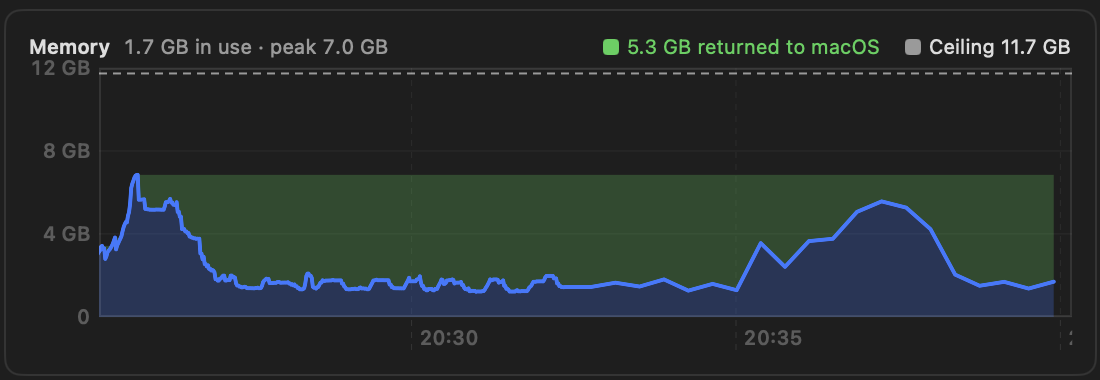
Set the memory limit in the app under Settings › Resources, beside the VM's memory now, its peak, and what has gone back to macOS.
A build can take 7 GB. When it ends, your Mac gets it back.
On a 16 GB Mac, a build took the VM to 7.0 GB. Within 30 seconds of the build ending, the VM was back to 2.4 GB, what the running stack needed.
On a MacBook Air with 16 GB of RAM, a request to a sleeping container's port was answered in 10 to 60 milliseconds, waking the container on the way. A docker exec into a sleeping container took under a tenth of a second. After the VM hibernated, the next docker command was answered in about a quarter of a second.
Questions
Barely puts idle containers to sleep. What if one has to keep running while I'm away?
Switch on Keep awake for that container in the app, and Barely never puts it to sleep.
When a container goes to sleep, what happens to its open connections?
They stay open, and the next bytes sent on one wake the container. When every container is asleep and the VM hibernates, streams like docker logs -f end and need starting again.
How fast does a sleeping container wake?
On a MacBook Air with 16 GB of RAM, a request to a sleeping container's port was answered in 10 to 60 milliseconds, waking the container on the way, and a docker exec into a sleeping container took under a tenth of a second. From a hibernated VM, the next docker command was answered in about a quarter of a second.
Do docker ps or docker logs wake a sleeping container?
No. Commands that only read, such as docker ps, docker logs, docker inspect and docker stats, don't wake it. A request to its port, a docker command that acts on it, such as exec or restart, or a file saved in its bind mounts does.
What about a container that runs cron jobs?
Containers with scheduled work, like cron or a systemd timer, stay awake. A schedule inside an app's own process, such as node-cron, isn't seen as use: switch on Keep awake for that container.
How much disk does a hibernated VM take?
About as much as the RAM it was using. With nothing up, the VM shuts down instead and saves nothing.
Try it on your own containers
The trial is 30 days and needs no account, email or credit card. Purchase at any time, $99 once.