 Barely
The app
Manage every Docker container on your Mac
See what every container and process on your Mac is using.
The trial needs no account, email or credit card. Buy, $99 →
Idle containers go to sleep
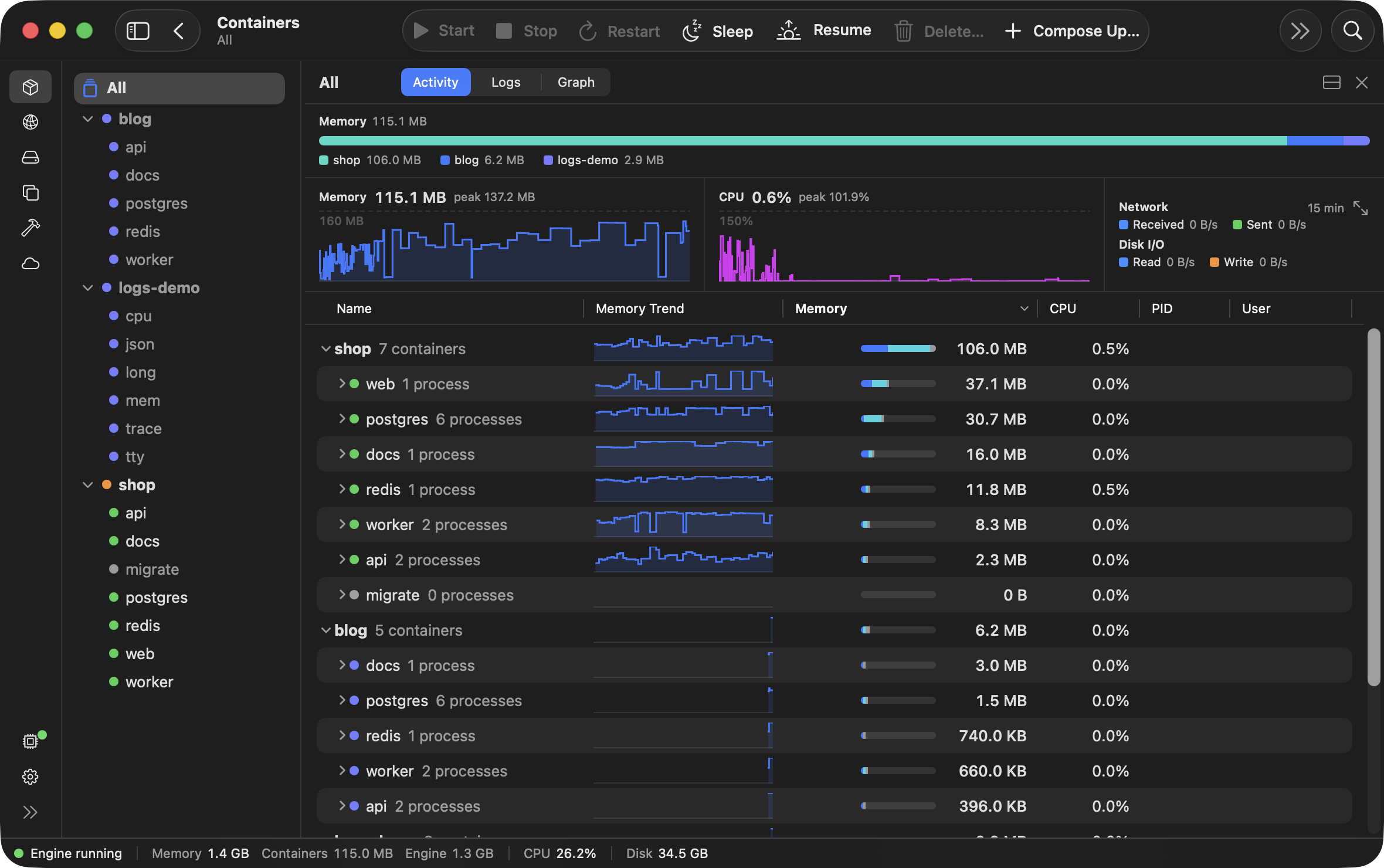
When containers serve no traffic, write no logs and use no CPU, Barely pauses them and gives their RAM back to macOS. The next request wakes them in milliseconds, with every process where it was.
- A Keep awake switch on every container, or on a whole docker compose stack, for containers you don't want to sleep.
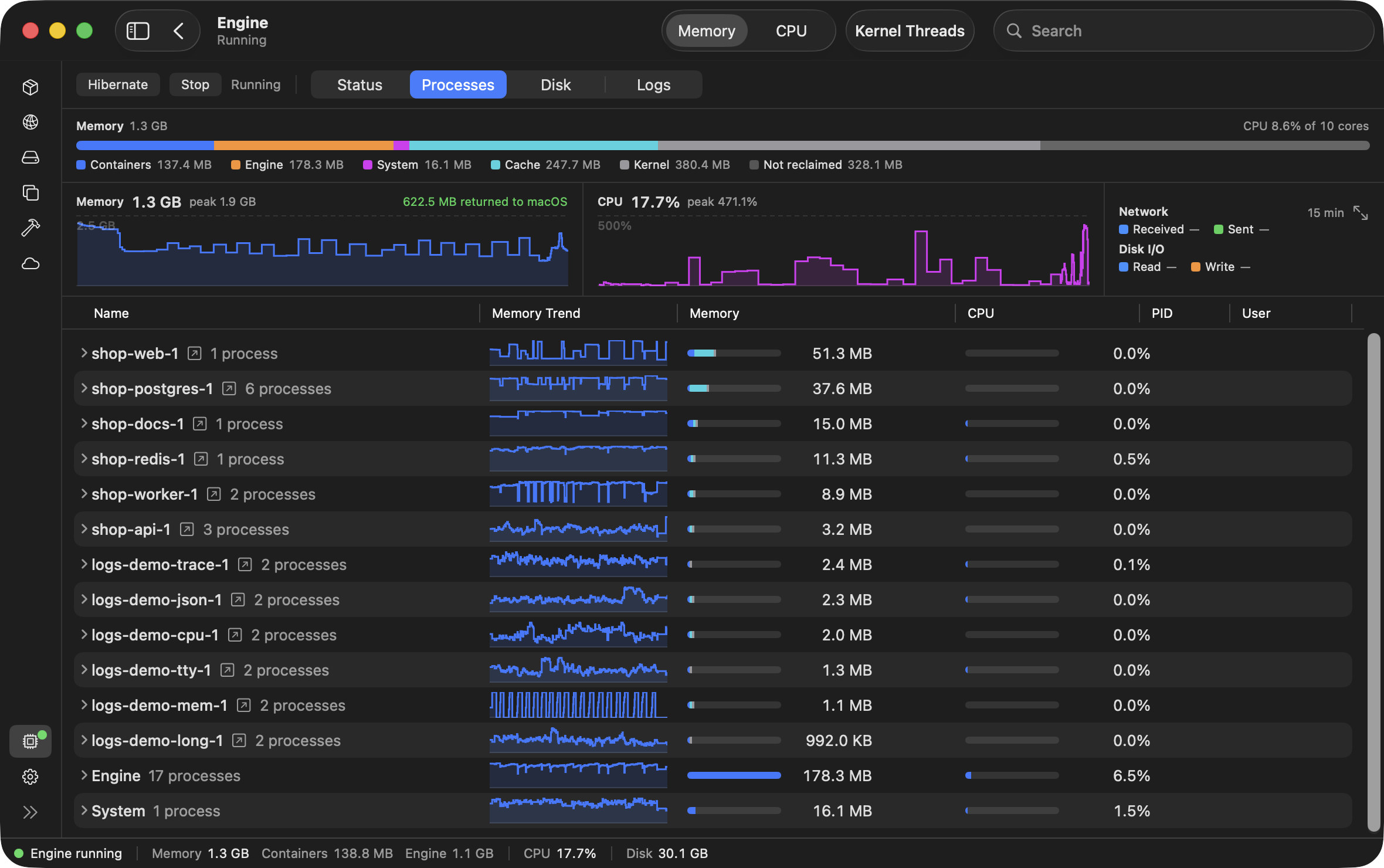
See where your RAM goes
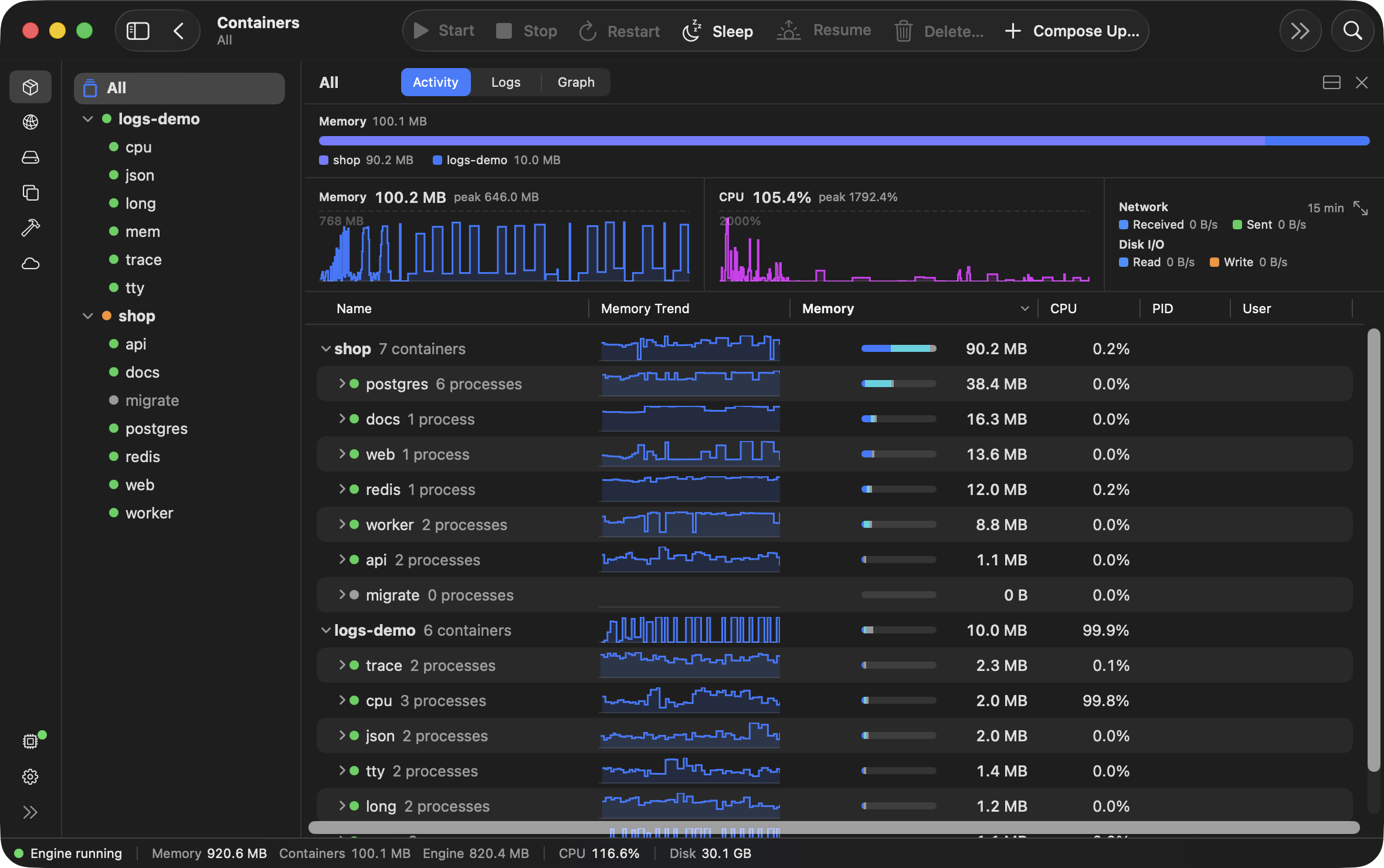
Where memory and CPU go: every stack, container and process, each with its 15-minute trend. The strip at the top sums whatever is selected.
- Engine ↗
- The VM itself: its memory by part and what it has given back to macOS, its CPU, and every process in the guest grouped by container.
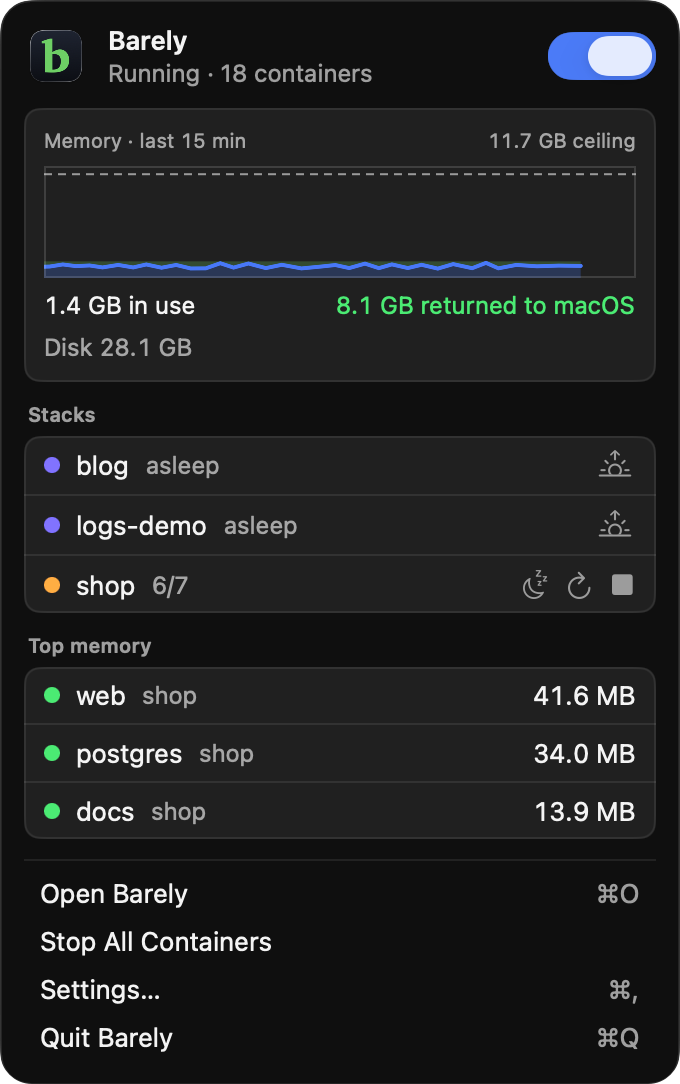
- Menu bar ↗
- The VM's memory, each docker compose stack's state and the containers using the most, without opening the app.
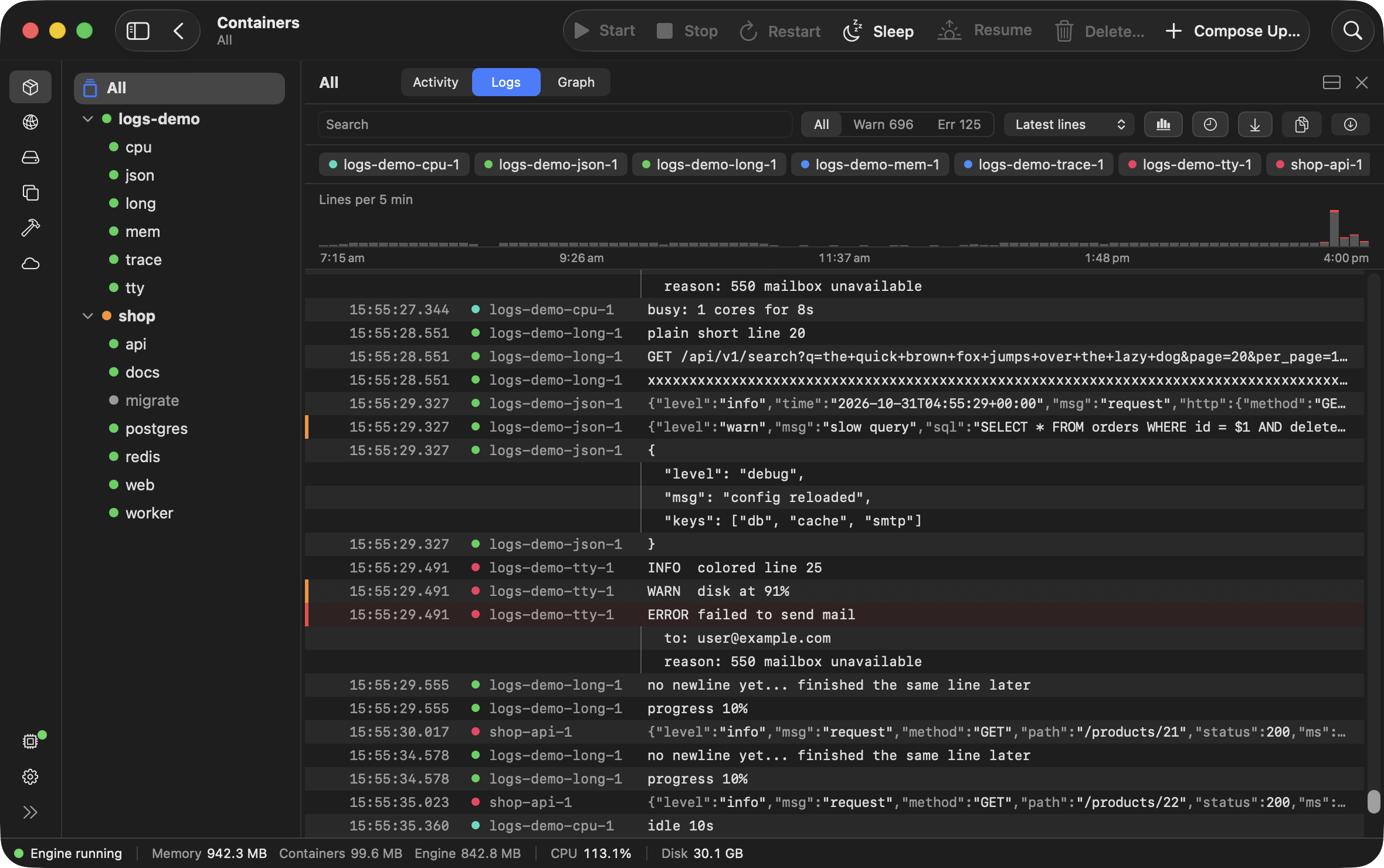
Every container's logs in one view
Every container's lines merged in time order, with search, a level filter and the volume of lines over time. A chip hides one container.
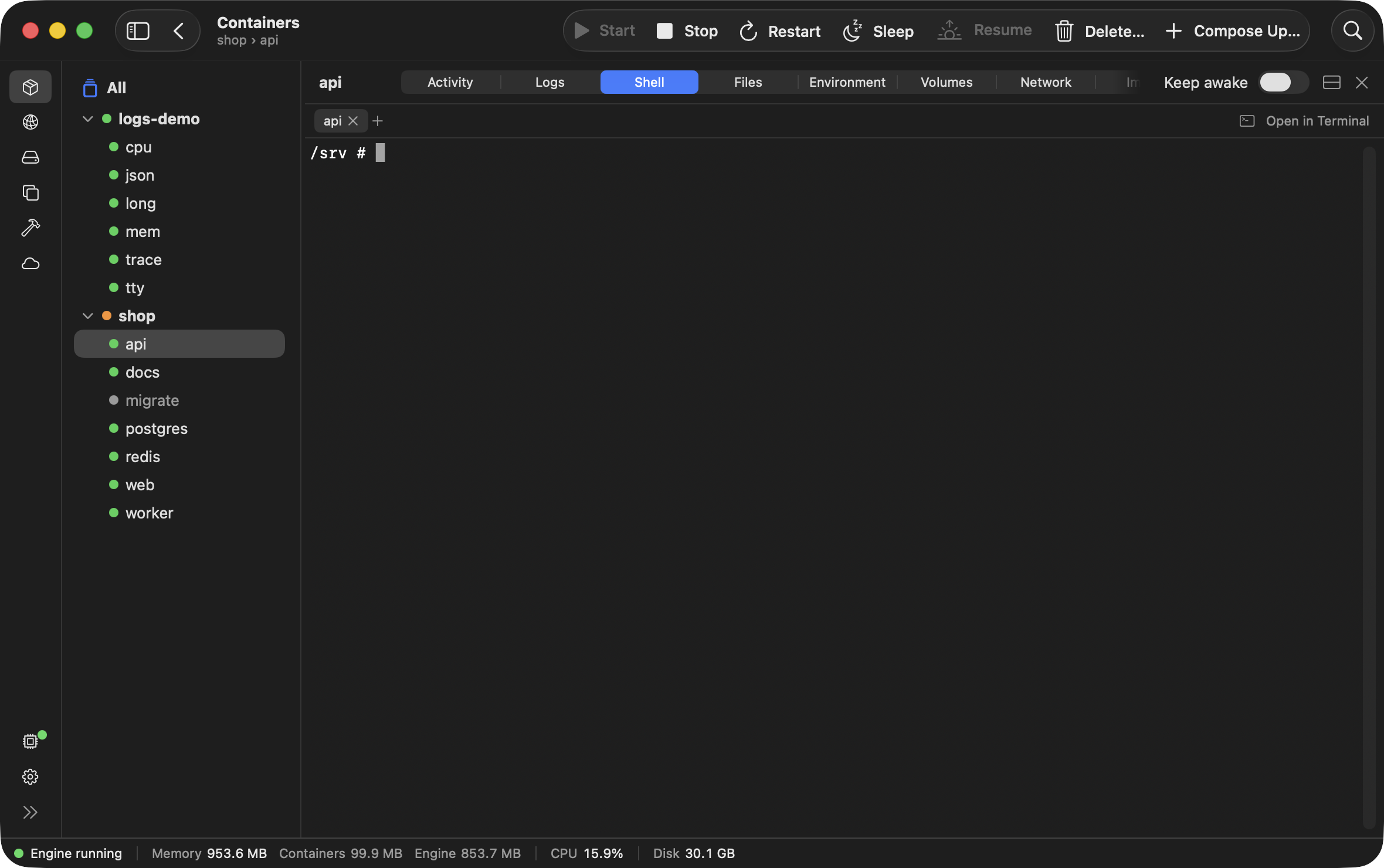
Open a shell inside any container
A shell inside any running container, as many as you want, each in its own tab, or opened in Terminal.
- Files ↗
- A container's filesystem, browsed in place, with Save and Import.
- Environment ↗
- A container's environment variables, searchable.
- Volumes ↗
- What a container has mounted, and where.


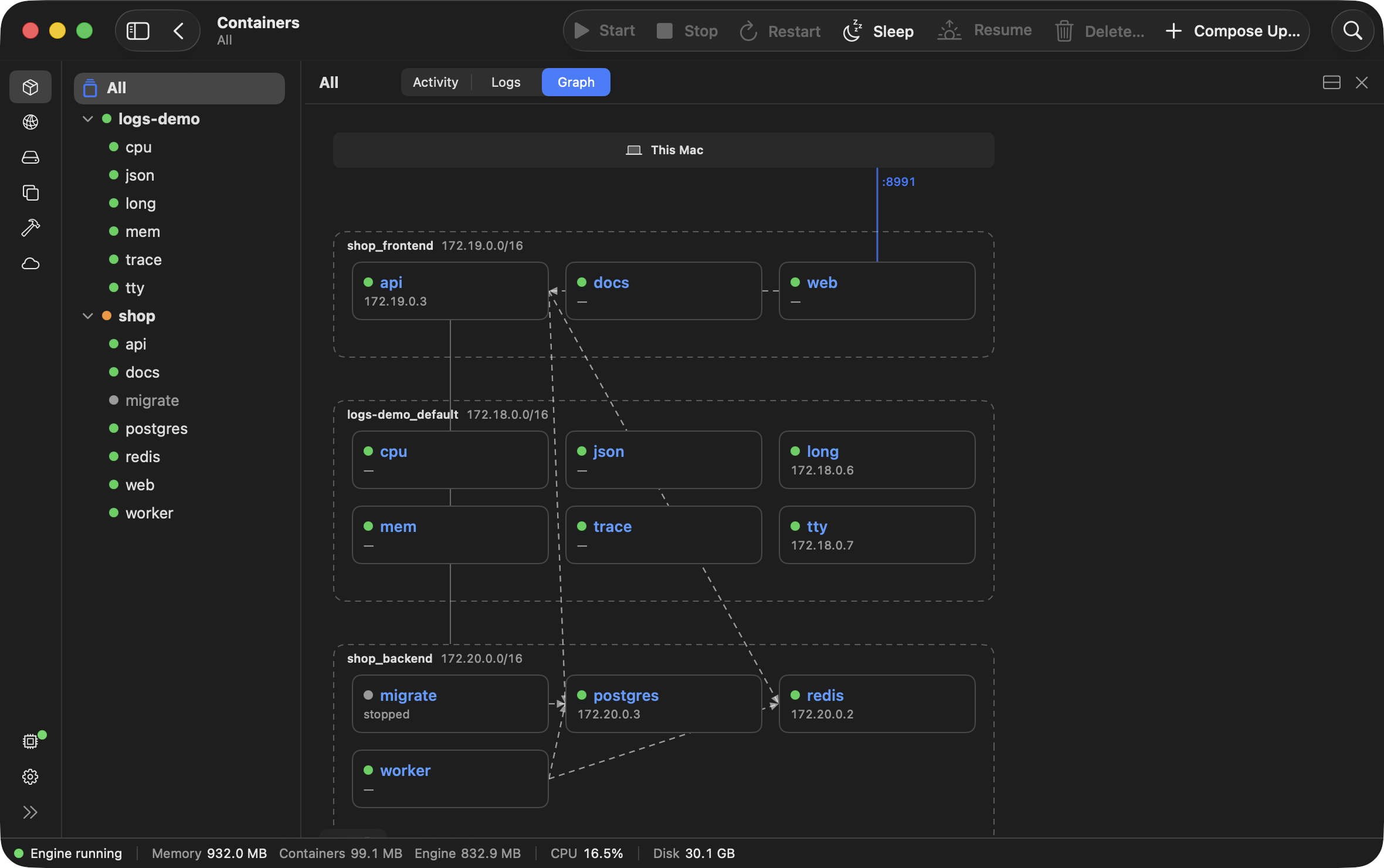
See how your containers connect
- Graph ↗
- How the containers connect: each network with its containers and their addresses, published ports from this Mac, and which service depends on which.
- Networks ↗
- Every network, its subnet and gateway, and which containers are on it, with Connect and Disconnect.
- Images ↗
- The container images on the engine, and one opened on its layers: every step that built it, with its size.
- Builds ↗
- Every build the engine ran, green or red, and one opened on its log, step by step.


Try it on your own containers
The trial is 30 days and needs no account, email or credit card. Purchase at any time, $99 once.